 Lila Modeler
v1.0.0-beta.16Desktop beta: macOS · Windows (untested) · What's new →
Watch your process run before it runs.
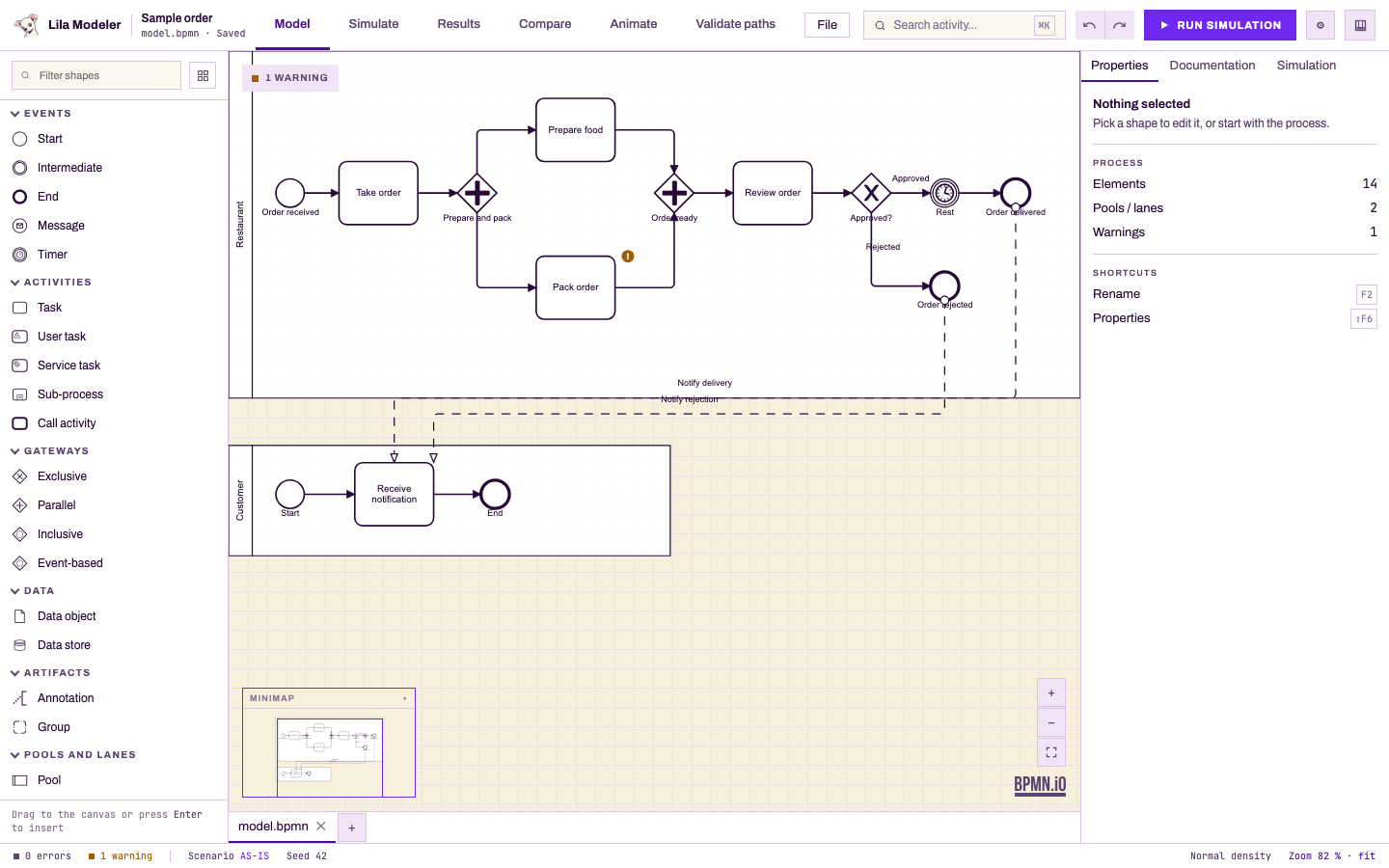
Open-source discrete-event simulator for BPMN. Draw the process, set times, resources and calendars, and replay every case over the diagram — with AS-IS vs TO-BE comparisons at 95% confidence. No account, no server.
← swipe the diagram →
One engine, four ways in.
The core has no dependencies, so the numbers are identical from a browser tab, a terminal or an agent.
Model
- BPMN editor on bpmn-js
- XOR / OR / AND gateways
- Timers, subprocesses, lanes
- Validation on the diagram
Simulate
- Bizagi's four levels, as steps
- 13 BPSim distributions
- Resource pools with costs
- Weekly shift calendars
Analyze
- Bizagi-style result tables
- Ranked bottlenecks
- Replay over the diagram
- CSV and XLSX export
Integrate
- lila run / compare for CI
- MCP server, five tools
- Portable .lila projects
- Scenarios as plain JSON
Not one lucky number. Thirty replications.
Every run is seeded and replicated. Each replication drops into the distribution and the confidence interval tightens — same seed, same answer, every time.
- L1Validation — every path reaches an end
- L2Time — arrivals and processing times
- L3Resources — pools, capacity, cost
- L4Calendars — weekly shifts
AS-IS vs TO-BE, with the noise taken out.
Put scenarios side by side. Deltas that are significant at 95% get a marker; the rest you shouldn't bet on.
Illustrative figures · run lila compare on examples/pedido for the real ones.
Three commands to a benchmark.
Clone, npm ci && npm run build, then validate, run and compare the restaurant example. Or hand the same engine to an agent over MCP.
$ npx lila validate examples/pedido/model.bpmn
✓ model.bpmn — 0 errors

$ npx lila run examples/pedido/model.bpmn \
    examples/pedido/as-is.scenario.json --seed 42 --replications 30
$ npx lila compare … as-is.scenario.json to-be-3-cajeros.scenario.json
Model. Simulate. Replay. Decide.
Questions, answered.
Is Lila Modeler free?
Yes. Apache-2.0, no account, no paid tier. The same engine runs in the browser, the desktop app, the CLI and the MCP server.
Where does my work live?
In the browser's local storage while you work — that is not a backup. File ▸ Save downloads the whole project as a portable .lila file.
Do I need Bizagi?
No. Lila follows the same four-level workflow and result table layout so Bizagi users feel at home, but it is fully independent.
Can two people edit the same project?
Not simultaneously. Sharing means passing a .lila file around; there is no backend and no real-time sync.
Which platforms are supported?
Any modern desktop browser for the web app (Chrome is the one tested; Safari is pending). The desktop beta ships for macOS on Apple Silicon — not notarized, so the first launch needs “Open Anyway”; see the beta guide, and do not disable Gatekeeper — and for Windows x64, whose installer is unsigned and has not been tested on a real Windows PC yet: SmartScreen will warn, and the Windows tester guide explains how to try it and report back. The Linux AppImage is built by CI but untested and not attached to the release.